
How to Install TensorFlow on Ubuntu 24.04
TensorFlow is a powerful open-source library developed by Google for machine learning and deep learning tasks, which is widely used by researchers, developers, and data scientists to build and train machine learning models.
If you are using an Ubuntu machine and want to set up TensorFlow, this guide will walk you through the process of installing and using TensorFlow on your system.
Prerequisites
Before installing TensorFlow, make sure your Ubuntu machine meets the following requirements:
- Python: TensorFlow supports Python 3.7 to 3.10.
- Pip: Pip is a package manager for Python.
- Hardware: While TensorFlow can run on CPUs, having a GPU can significantly speed up training for large models.
Step 1: Install Python and Pip in Ubuntu
Before installing any new software, it’s a good idea to update your package list and upgrade installed packages.
apt update
Next, install Python and pip, a package manager for Python used to install and manage Python packages.
apt install python3
apt install python3-pip
Once installed, you can verify Python and pip installation before installing packages like TensorFlow.
python3 --version
pip3 --version

Step 2: Create a Virtual Environment in Ubuntu
Creating a virtual environment is optional but recommended, as it helps to keep your TensorFlow installation isolated from other Python projects.
Create a new directory for your TensorFlow project and navigate into it:
mkdir tensorflow_project
cd tensorflow_project
Create a virtual environment and activate it:
apt update
apt install python3.12-venv
python3 -m venv tensorflow_env
source tensorflow_env/bin/activate
Your terminal prompt should now show the name of the virtual environment, indicating that it is active.

Step 3: Install TensorFlow in Ubuntu
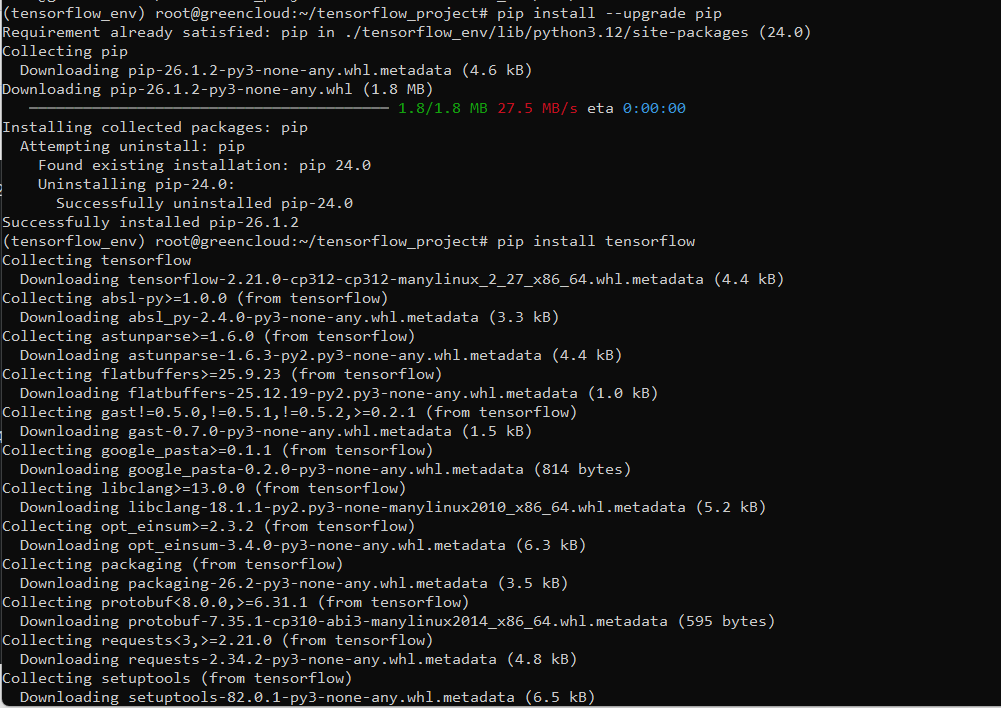
Now that your environment is set up, you can install the latest stable version of TensorFlow along with its dependencies using pip, the Python package manager.
pip install --upgrade pip
pip install tensorflow
Step 4: Verify TensorFlow in Ubuntu
After the installation is complete, it’s a good idea to verify that TensorFlow is installed correctly by going to the Python shell.
python3
Import TensorFlow and check its version:
import tensorflow as tf
print(tf.__version__)
If TensorFlow is installed correctly, this will print the version number without any errors.
2.18.0
You can also run a simple test to ensure TensorFlow is working.
hello = tf.constant('Hello, TensorFlow!')
print(hello)
This should output something like.
tf.Tensor(b'Hello, TensorFlow!', shape=(), dtype=string)
Conclusion
You have successfully installed TensorFlow on Ubuntu 24.04. Whether you are working on a simple machine learning project or a complex deep learning model, TensorFlow provides the tools you need to get started.
Remember to keep your environment organized by using virtual environments, and consider GPU support if you need faster computation.
