
How to Install Akaunting (Free Accounting Software) on Debian 12
Introduction
Akaunting is an open-source accounting and business management platform designed for small and medium-sized businesses. It provides features such as invoicing, expense tracking, financial reports, and multi-currency support.
In this tutorial, you will learn how to install Akaunting on Debian 12 using:
-
Apache Web Server
-
MariaDB Database
-
PHP 8.1 (via Sury repository)
This guide follows a step-by-step structure that matches the installation process shown in the video, without SSL configuration, making it ideal for demos, labs, and internal deployments.
Prerequisites
Before starting, make sure you have:
-
A server running Debian 12
-
Root access via SSH
-
A domain name pointing to your server IP (or you can use the server IP directly)
Step 1: Connect to the Server
Linux & macOS
Windows (PowerShell / Windows Terminal)
ssh root@YOUR_SERVER_IP
Windows (PuTTY)
-
Host Name:
YOUR_SERVER_IP -
Port:
22 -
Connection type:
SSH -
Username:
root
After connecting, you should see a shell prompt indicating you are logged in as root.
Step 2: Update the Operating System
Refreshes the package index and ensures Debian knows about the latest available packages.
Installs all pending updates and reduces security and compatibility issues.
Note:
If you encounter the error “dpkg was interrupted”, run the following command to fix it and then repeat the update:
Step 3: Install Apache Web Server
Installs the Apache HTTP server.
Enable Apache at boot:
systemctl enable apache2
Start Apache immediately:
Verify Apache status:
systemctl status apache2
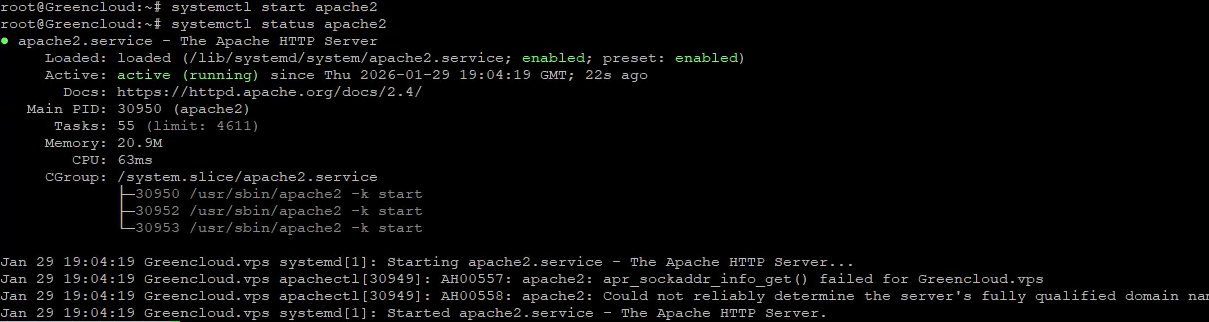
Apache will serve Akaunting’s web interface.
Step 4: Install and Configure MariaDB
Install MariaDB:
Enable and start MariaDB:
Secure the Database
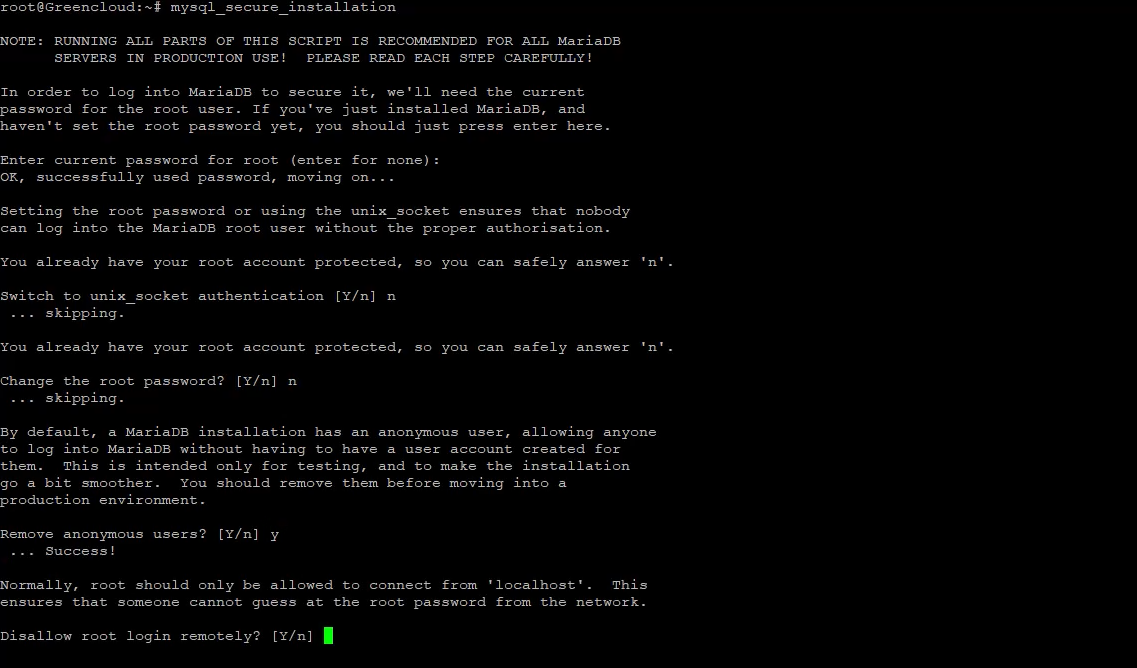
This interactive script:
-
Sets the MariaDB root password
-
Removes anonymous users
-
Disables remote root login
-
Removes test databases
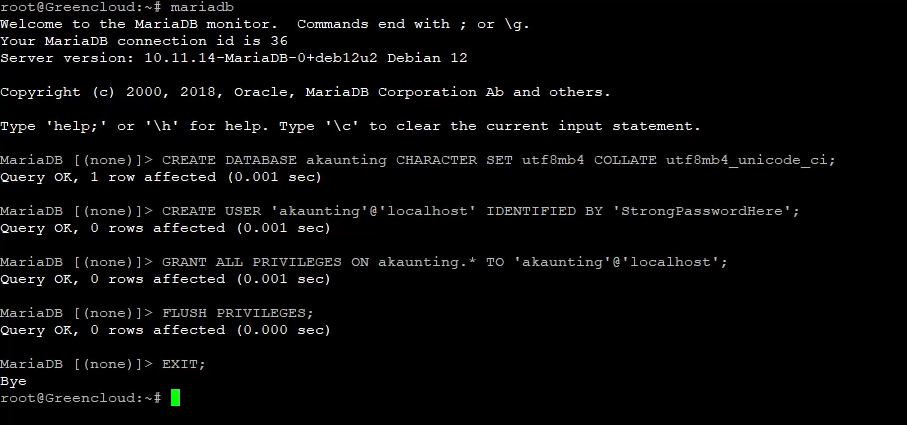
Create the Akaunting Database
Enter the MariaDB shell:
mariadb
Run the following commands:
Step 5: Install PHP 8.1 (Sury Repository)
Install required tools:
apt install ca-certificates apt-transport-https lsb-release curl gnupg
Create a keyring directory:
Import the PHP repository signing key:
Add the PHP repository:
Update package metadata:
apt update
Step 6: Install PHP 8.1 and Required Extensions
Verify PHP installation:
Step 7: Configure PHP for Akaunting
Edit the PHP configuration file:
Confirm or update the following values:
Apply changes:
Step 8: Download and Prepare Akaunting
Move to the web root:
Download Akaunting:
wget https://akaunting.com/download.php?version=latest -O akaunting.zip
Install unzip and extract:
Set permissions:
chown -R www-data:www-data /var/www/akaunting
chmod -R 755 /var/www/akaunting
chmod -R 775 /var/www/akaunting/storage
chmod -R 775 /var/www/akaunting/bootstrap/cache
Step 9: Configure Apache Virtual Host
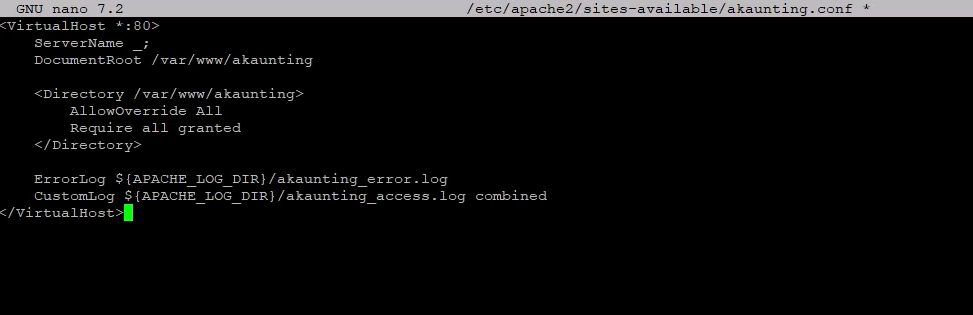
Create a new virtual host:
Paste:
<VirtualHost *:80>
    ServerName yourdomain.com
    DocumentRoot /var/www/akaunting

    <Directory /var/www/akaunting>
        AllowOverride All
        Require all granted
    </Directory>

    ErrorLog ${APACHE_LOG_DIR}/akaunting_error.log
    CustomLog ${APACHE_LOG_DIR}/akaunting_access.log combined
</VirtualHost>
Enable the site and rewrite module:
Step 10: Complete Akaunting Web Installation
Open your browser:
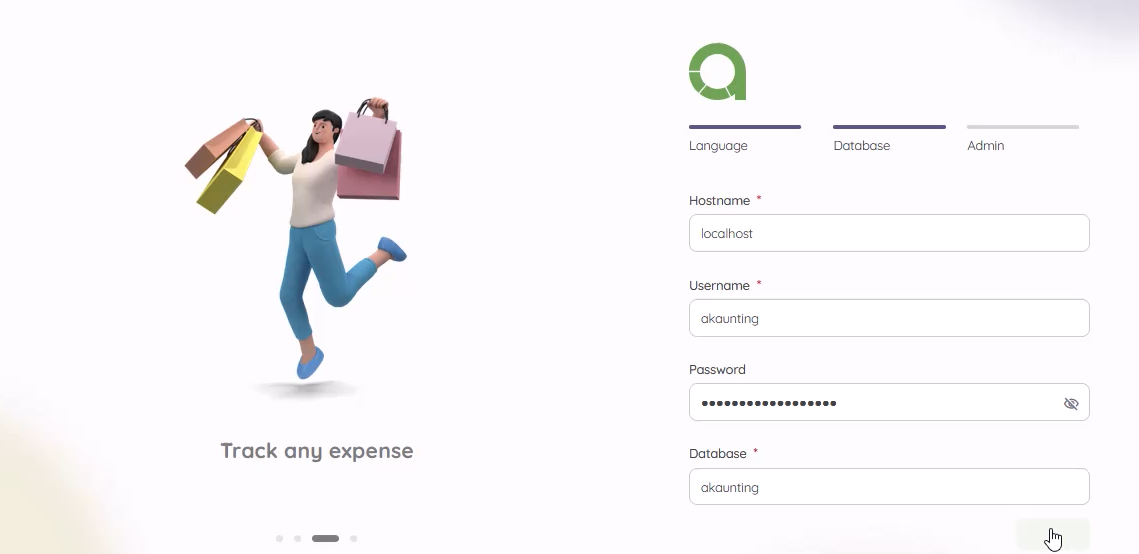
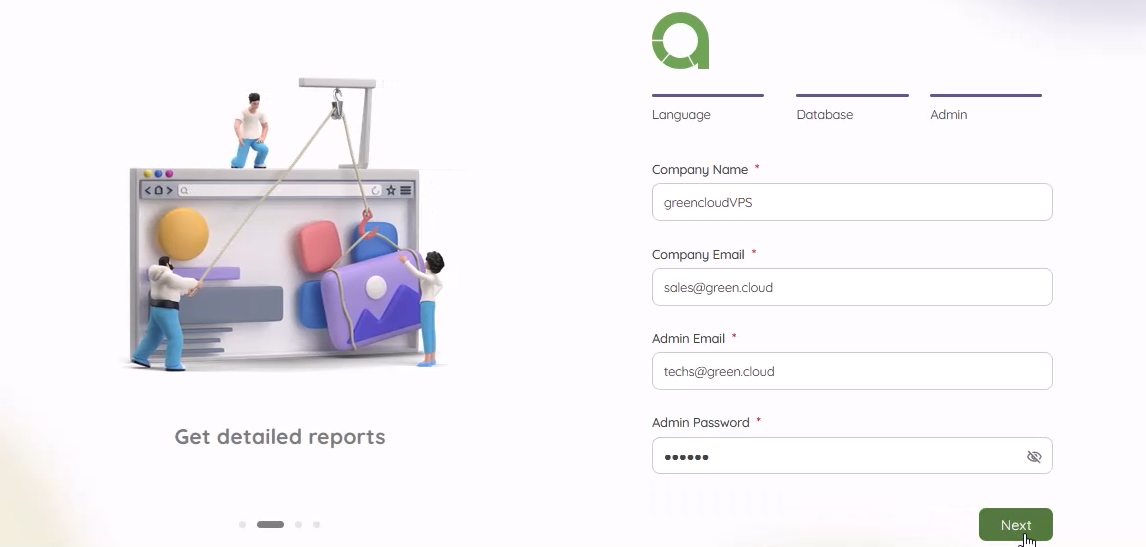
Follow the installer:
-
Enter database credentials
-
Create the admin account
-
Finish installation

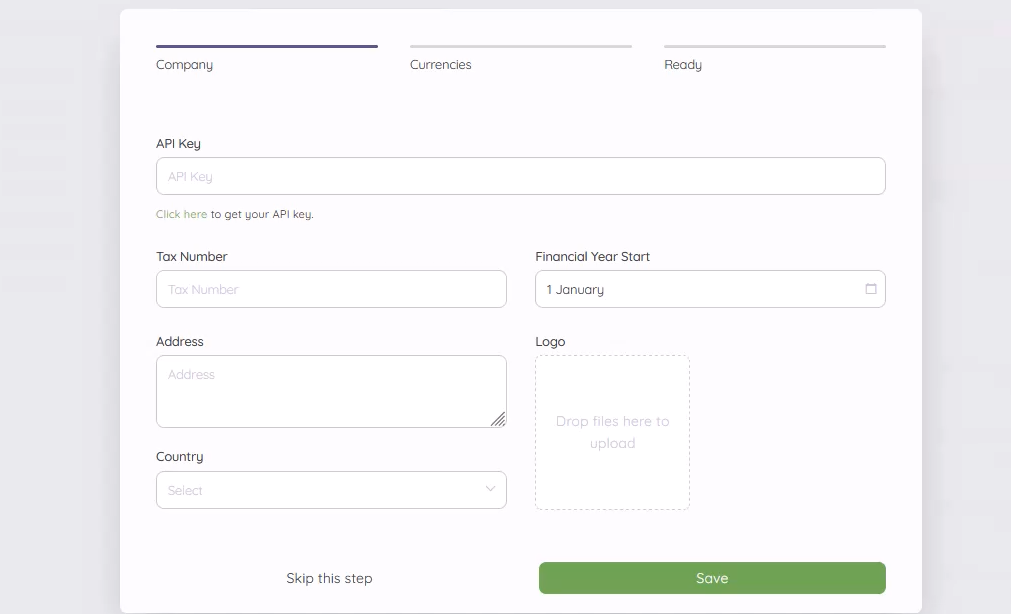
You will be redirected to the Akaunting dashboard.
Conclusion
You have successfully installed Akaunting on Debian 12 using Apache, MariaDB, and PHP 8.1, without SSL.
This setup matches the video installation flow exactly and is suitable for testing, demos, or internal environments.
