
How to Install Adminer 5.3.0 on Debian 12
Introduction
Adminer is a lightweight and powerful database management tool that allows you to manage databases such as MySQL, PostgreSQL, SQLite, and more, all from a single web interface. Compared to heavier tools like phpMyAdmin, Adminer is easy to deploy, requiring only a single PHP file. In this guide, you will learn how to install Adminer 5.3.0 on a Debian 12 server using Apache and PHP.
Step 1: Connect to Your Server
On Linux/macOS:
ssh root@your_server_ip
Connects to your server via SSH as the root user.
On Windows:
Use PuTTY, enter your server IP, and log in as root.
Step 2: Update the System
- apt update Updates the package list to the latest versions
- apt upgrade -y Upgrades all installed packages automatically.

Keeping your server updated ensures security and stability.
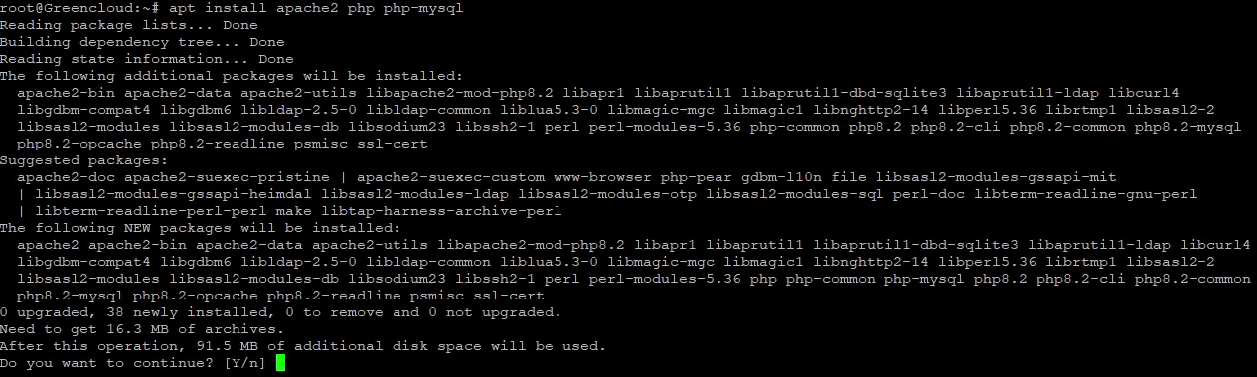
Step 3: Install Apache and PHP with MySQL Support
-
apache2: Installs the Apache web server.
-
php: Installs the PHP scripting language.
-
php-mysql: Adds PHP support for MySQL databases.
Optional: For PostgreSQL support:
- php-pgsql: Adds PHP support for PostgreSQL databases.

Step 4: Create Adminer Directory
mkdir -p /var/www/html/adminer
cd /var/www/html/adminer
- mkdir -p: Creates a folder (including parent directories if they do not exist).
-
cd: Moves into the Adminer directory.
This directory will host the Adminer files.
Step 5: Download Adminer 5.3.0
-
wget: Downloads files from the web.
-
-O index.php: Saves the downloaded file as
index.phpso it loads automatically in the browser.

Step 6: Set Ownership and Permissions
-
chown -R www-data:www-data: Changes ownership to Apache’s user (
www-data). -
chmod -R 755: Gives read and execute permissions to the server for all files.

Ensures Adminer works correctly with Apache.
Step 7: Access Adminer
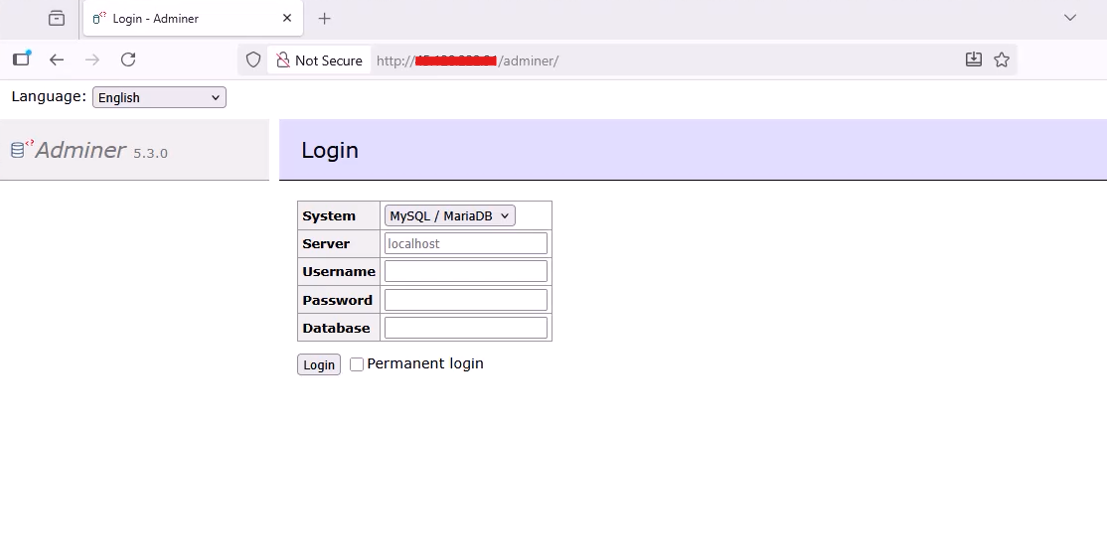
Open your web browser and visit:
You will see the Adminer login screen. From here, you can connect to MySQL, PostgreSQL, or other supported databases.
Conclusion
You have successfully installed Adminer 5.3.0 on Debian 12 using Apache and PHP. Adminer provides a clean and intuitive web interface to manage databases from anywhere. It is lightweight, easy to maintain, and powerful enough for most database management tasks.
For enhanced security on a public server, consider enabling HTTPS and protecting the Adminer directory with a password.
