
How to Install ChangeDetection.io on Debian 12 Using Docker and Nginx
Introduction
ChangeDetection.io is a powerful self-hosted website monitoring tool that allows you to track changes on web pages such as price updates, content edits, or HTML modifications. It is widely used by developers, system administrators, and individuals who want full control over their monitoring infrastructure.
In this guide, you will learn how to:
-
Install ChangeDetection.io using Docker & Docker Compose
-
Run it securely behind Nginx as a reverse proxy
-
Deploy everything on a Debian 12 server
Prerequisites
-
A VPS running Debian 12
-
Root access via SSH
-
A domain name pointing to your server IP
Architecture Overview
-
Debian 12 Server
-
Docker container running ChangeDetection.io
-
Nginx acting as a reverse proxy
Step 1: Connect to the Server via SSH
Linux / macOS
Windows (PowerShell or Windows Terminal)
Accept the fingerprint when prompted.
You are now logged in as root.
Step 2: Update the System
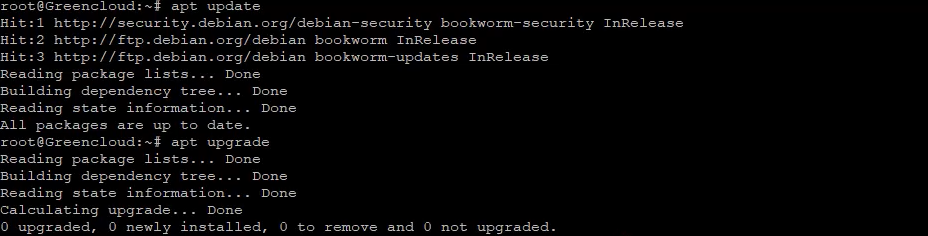
Explanation:
-
apt update refreshes the package index
-
apt upgrade upgrades all installed packages
Keeping the system updated helps avoid dependency issues later.
Step 3: Install Required Dependencies
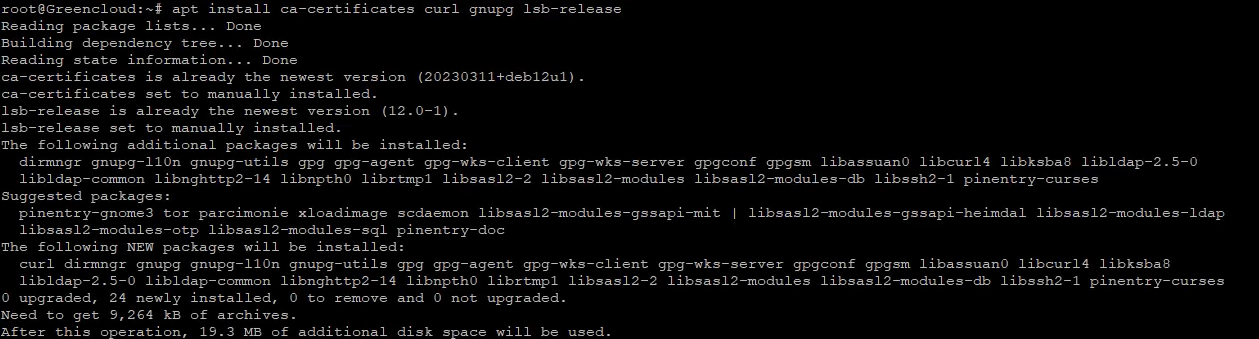
Explanation:
These packages are required to securely add and verify the Docker repository.
Step 4: Create Docker Keyrings Directory
This directory is used to store trusted GPG keys.
Step 5: Add Docker GPG Key
Explanation:
Downloads and imports Docker’s official signing key so packages can be verified.
Step 6: Add Docker Repository
This allows Docker to be installed from the official Docker repository.
Step 7: Update Package List Again
Reloads package information including the new Docker repository.
Step 8: Install Docker Engine and Docker Compose
Explanation:
-
Installs Docker Engine
-
Installs Docker Compose v2 (recommended)
Step 9: Verify Docker Installation

If version information is displayed, Docker is installed correctly.
Step 10: Create ChangeDetection Directory
This directory will store Docker configuration and persistent data.
Step 11: Enter the Directory
Step 12: Create Docker Compose File
Paste the following configuration:
services:
  changedetection:
    image: ghcr.io/dgtlmoon/changedetection.io:latest
    container_name: changedetection
    restart: unless-stopped
    ports:
      - "127.0.0.1:5000:5000"
    volumes:
      - ./data:/datastore
 environment:
    - BASE_URL=https://watch.example.com
    - TZ=Europe/Bucharest
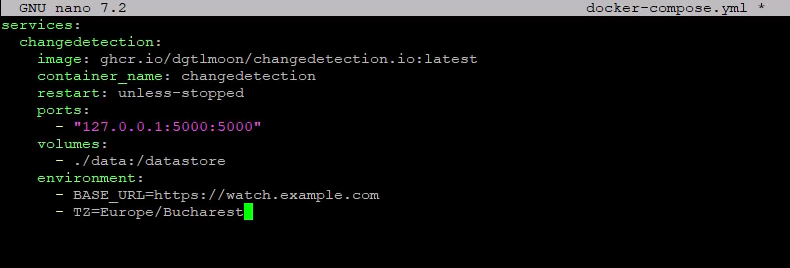
Configuration Explanation:
-
Runs ChangeDetection.io in a Docker container
-
Binds port 5000 to localhost only for security
-
Stores data persistently in
./data -
BASE_URLmust match your domain -
TZsets the server timezone
Save and exit the editor.
Step 13: Start ChangeDetection.io
Starts the container in detached mode.
Step 14: Verify the Container Is Running
You should see the changedetection container listed as running.
Step 15: Test ChangeDetection Locally
Confirms the application responds locally before exposing it via Nginx.
Step 16: Install Nginx
Step 17: Enable and Start Nginx
Step 18: Create Nginx Reverse Proxy Configuration
Paste the following:
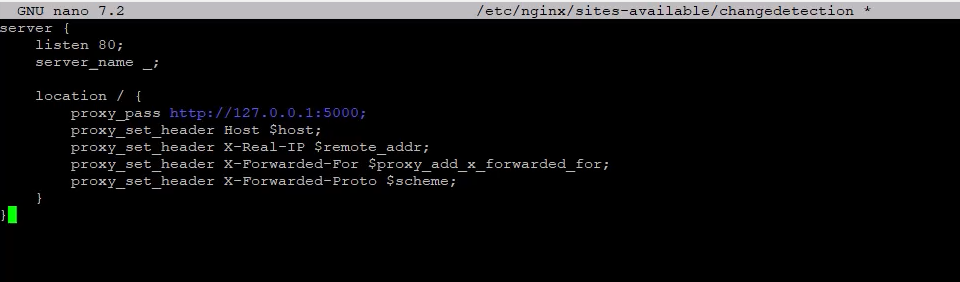
This configuration forwards HTTP traffic to the ChangeDetection.io container.
Step 19: Enable the Nginx Site
Step 20: Test and Reload Nginx
Ensures the configuration is valid and applies the changes.
Access ChangeDetection.io
Open your browser and visit:
http://your-domain.com
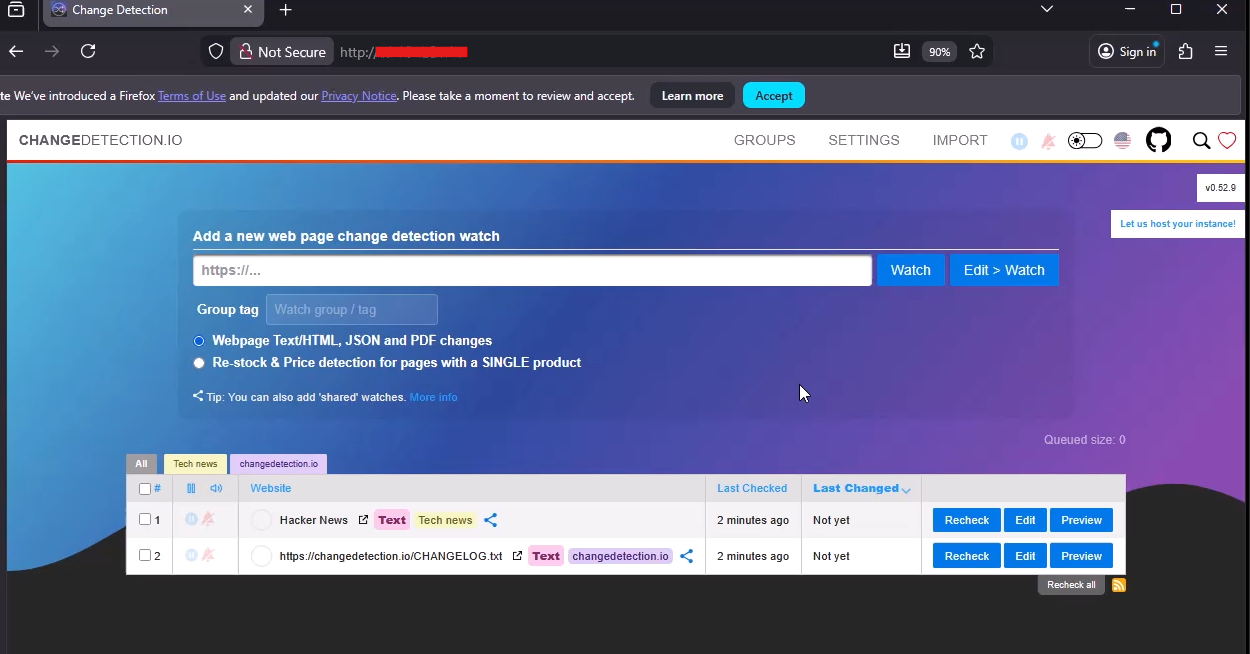
ChangeDetection.io is now running behind Nginx on Debian 12.
Conclusion
You have successfully deployed ChangeDetection.io on Debian 12 using:
-
Docker & Docker Compose
-
Nginx as a reverse proxy
This setup is clean, secure, and scalable, and can be reused for other self-hosted tools such as Miniflux, Ghostfolio, NocoDB, HedgeDoc, and many more.
