How to access a Linux VPS via VNC using the Vifusion Control Panel
The Vifusion Control Panel provides VNC access details, including the IP address, port, and password, to connect to your VPS. Follow these steps:
Open VNC in a browser
1. First, log in to your Virtfusion dashboard
- Open a web browser and navigate to Login to the Client Area
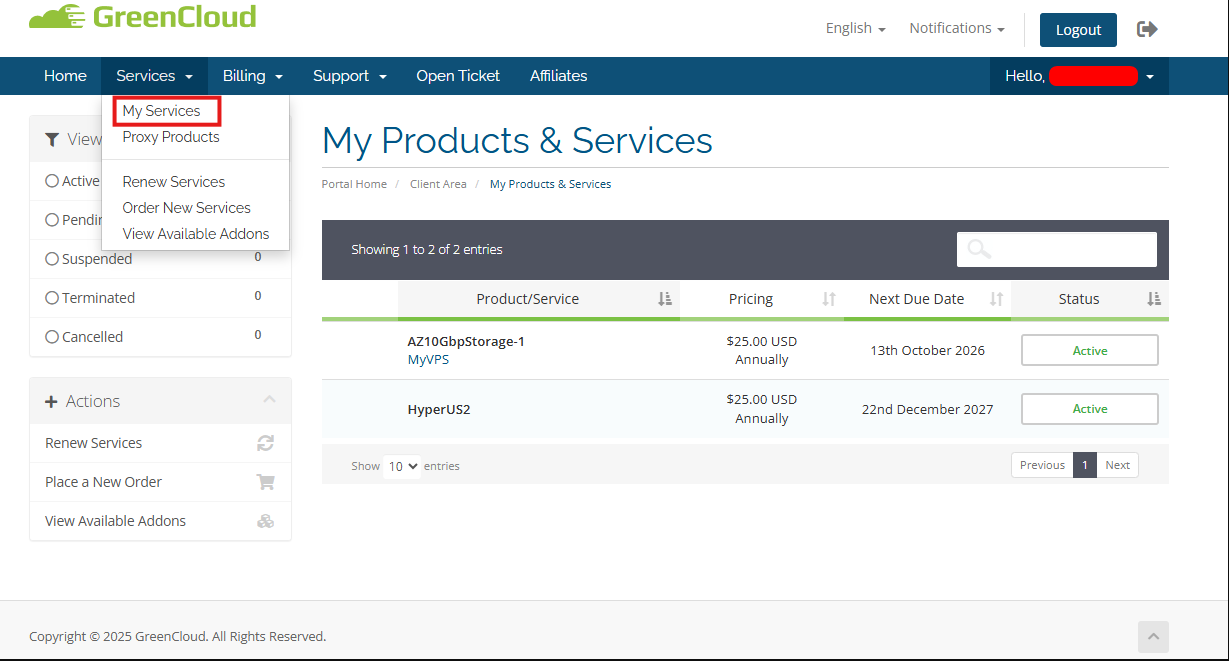
- Click on Services > My Services

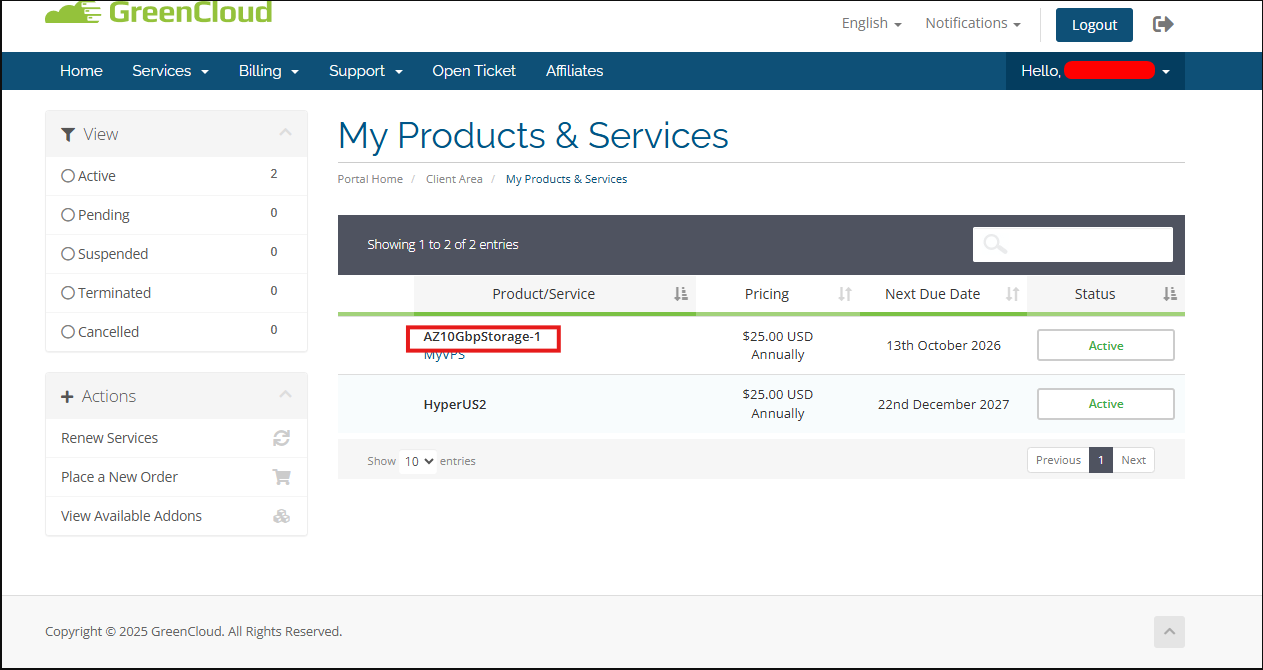
- Find the product or service you wish to VNC and click.

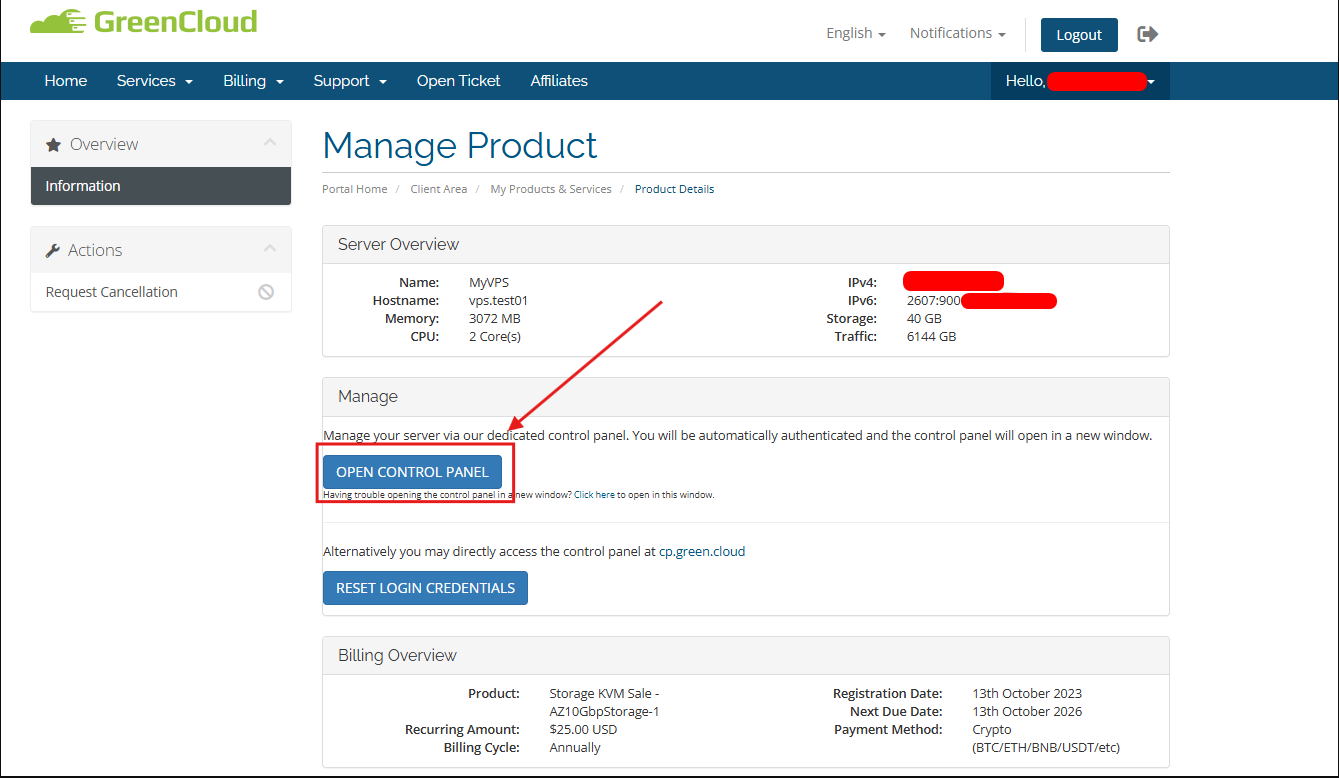
- Click on OPEN CONTROL PANEL

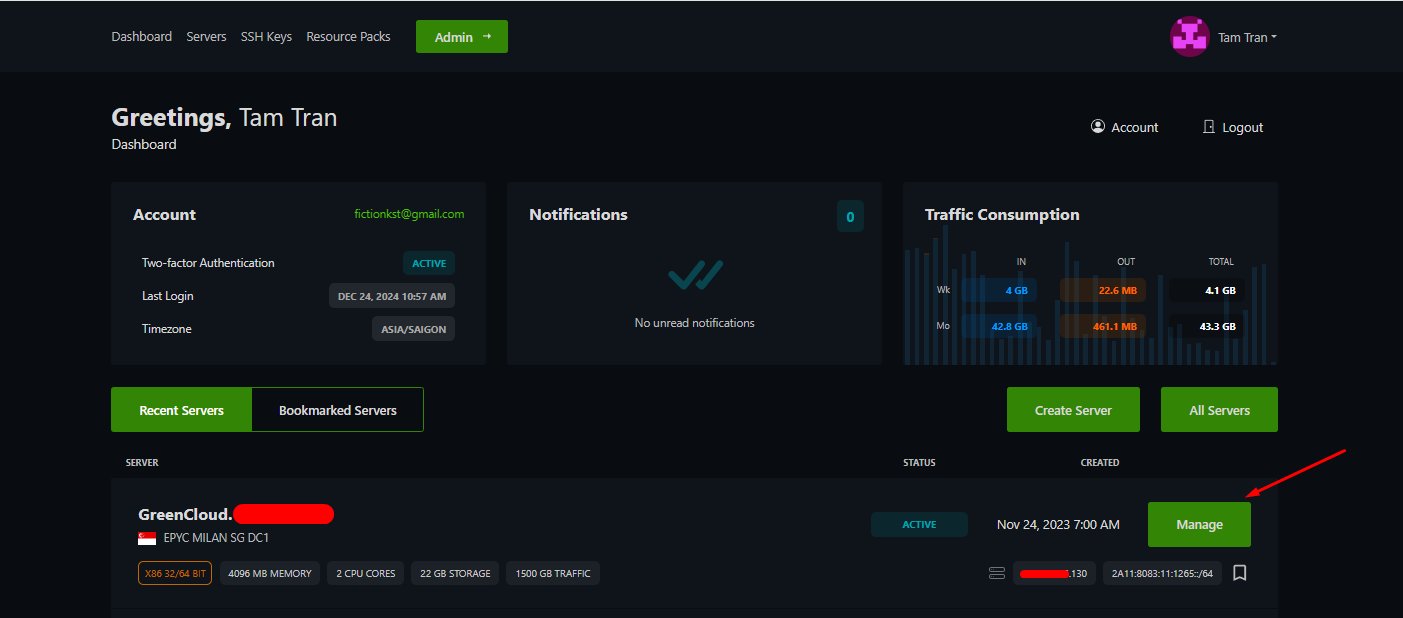
2. On the control panel, select VPS and click on Manage
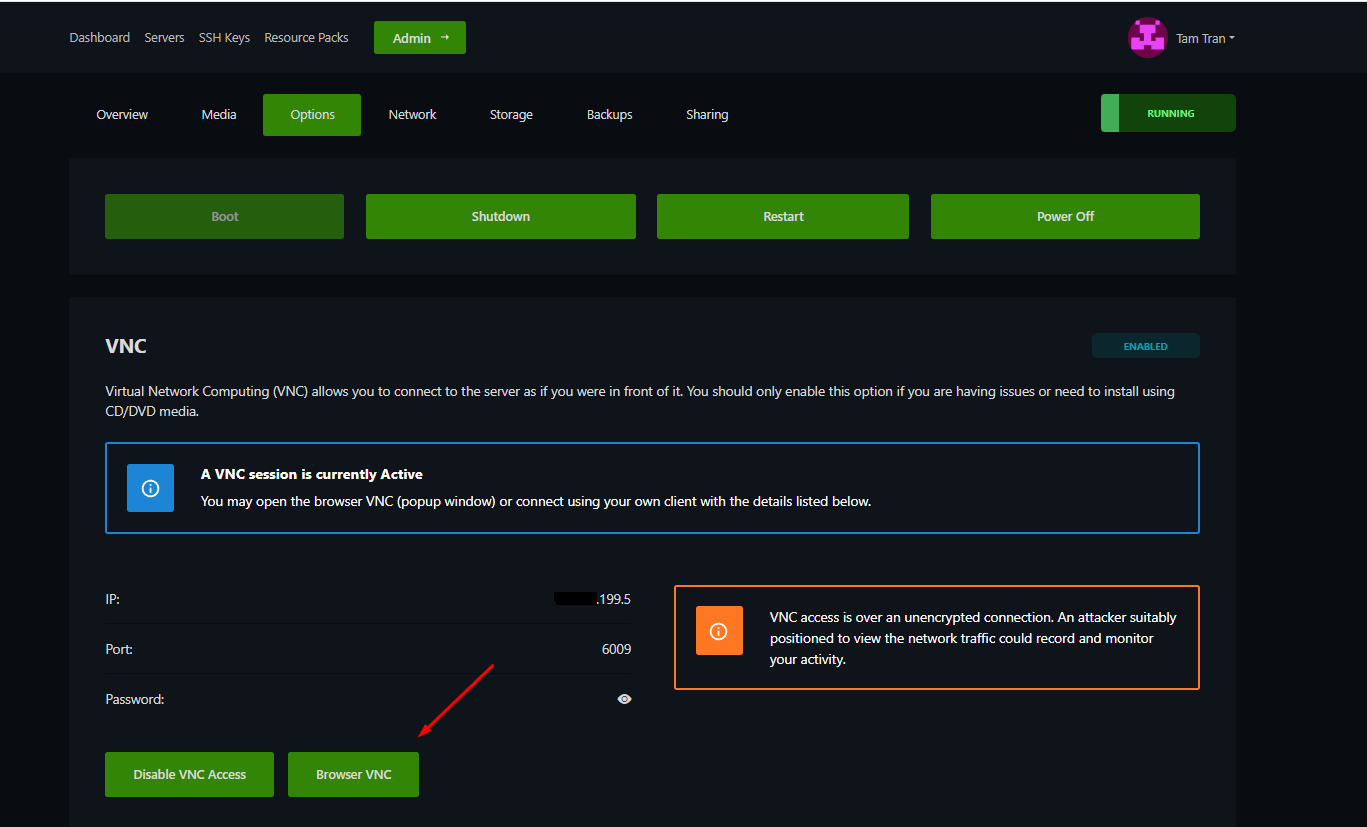
3. Next, go to the Option section and click on Enable VNC Access
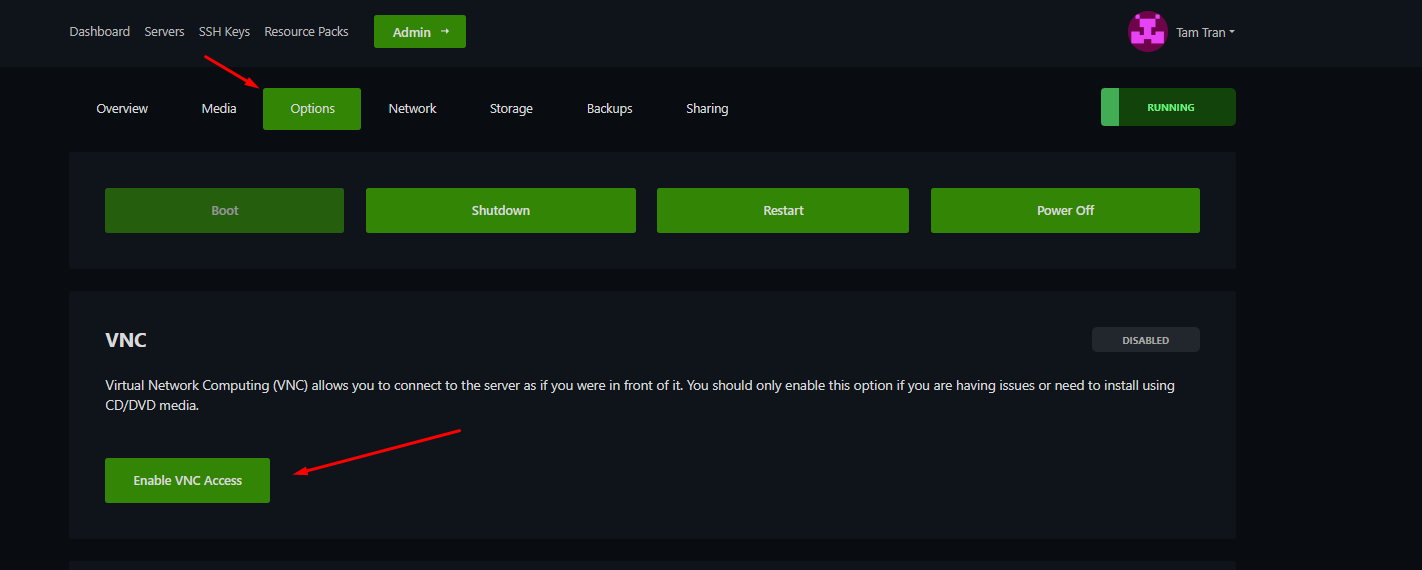
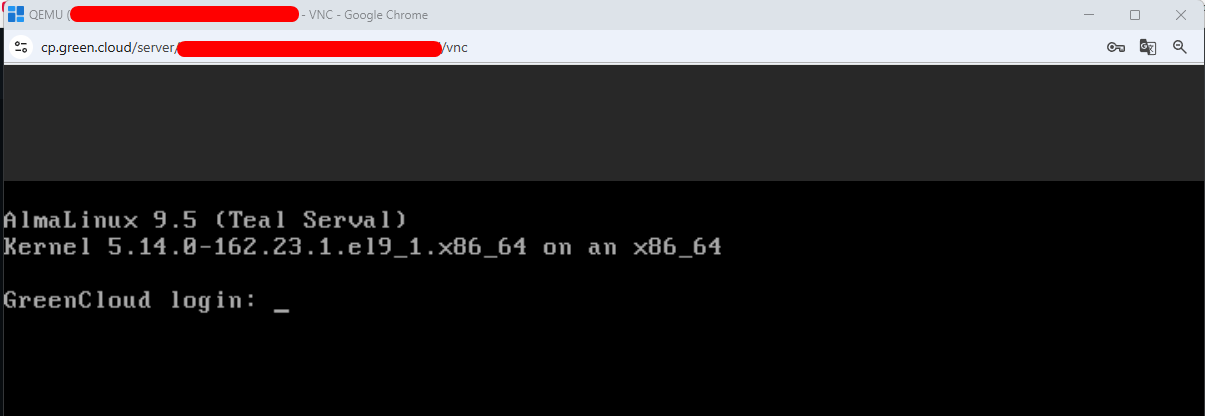
4. Then click on Browser VNC, and a new browser window will open. You can then enter your username and password to access your VPS.