
How to Upgrade Rocky Linux 9 to Kernel 6.x
Introduction
The Linux kernel is the core component of an operating system that directly interacts with the hardware. It is responsible for managing system resources such as CPU, memory, processes, and devices. The kernel acts as a bridge between applications and the underlying hardware through system calls and inter-process communication.
Rocky Linux 9 ships with a stable, enterprise-grade kernel by default. However, in some cases, you may need a newer kernel version—for example, to support new hardware, improve performance, or use newer kernel features. This guide explains how to install the latest 6.x mainline stable kernel on Rocky Linux 9 using the ELRepo repository.
Prerequisites
Before proceeding, ensure that you have:
-
Access to the Rocky Linux 9 command-line terminal
-
Root or sudo privileges
Step 1 – Check the Current Kernel Version
First, check the currently running kernel version using the uname command:
Example output:

This confirms that the system is currently running a 5.x kernel.
Step 2 – Enable ELRepo Repository
ELRepo provides newer kernel versions for Enterprise Linux-based distributions such as Rocky Linux.
Import the ELRepo GPG key and install the ELRepo release package:
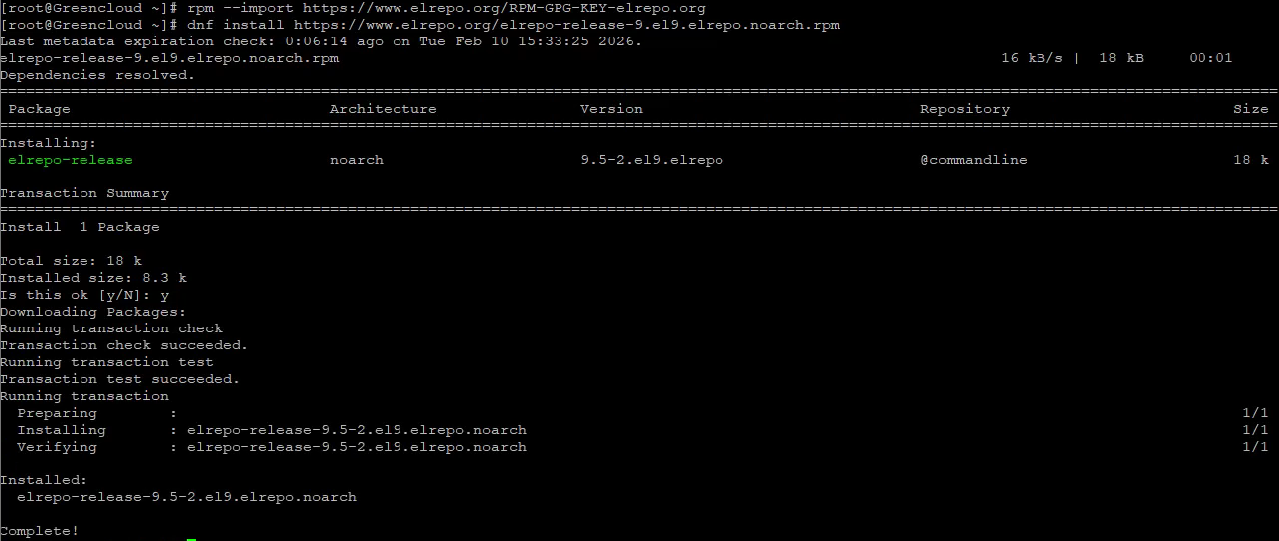
Once installed, you can list available kernel packages from ELRepo with:
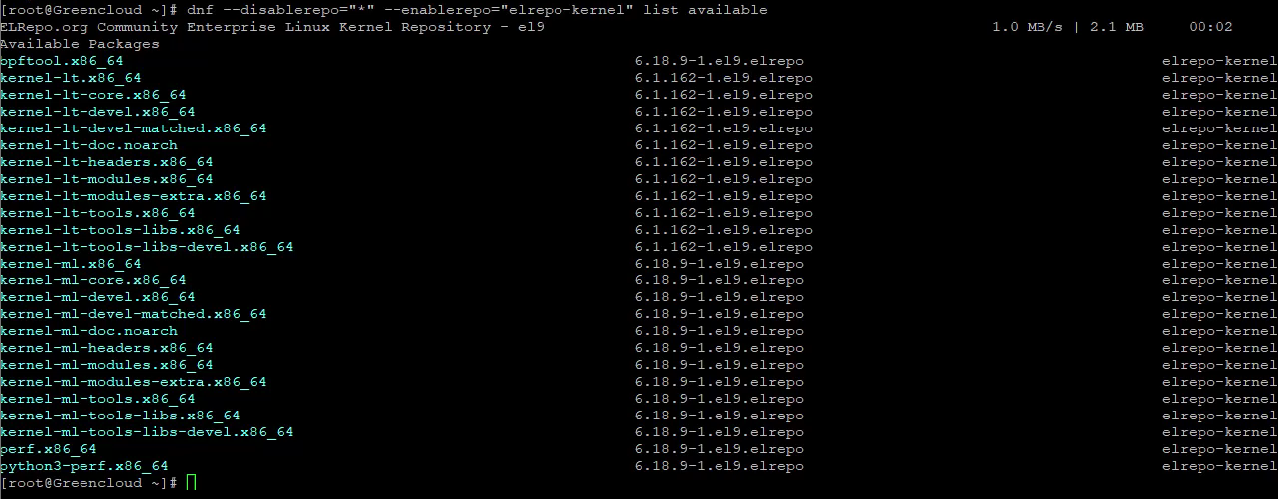
This command will display available kernel packages, including:
-
kernel-lt (Long-Term Support kernel)
-
kernel-ml (Mainline latest stable kernel)
Step 3 – Install Kernel 6.x
To install the latest mainline stable kernel (6.x), run:
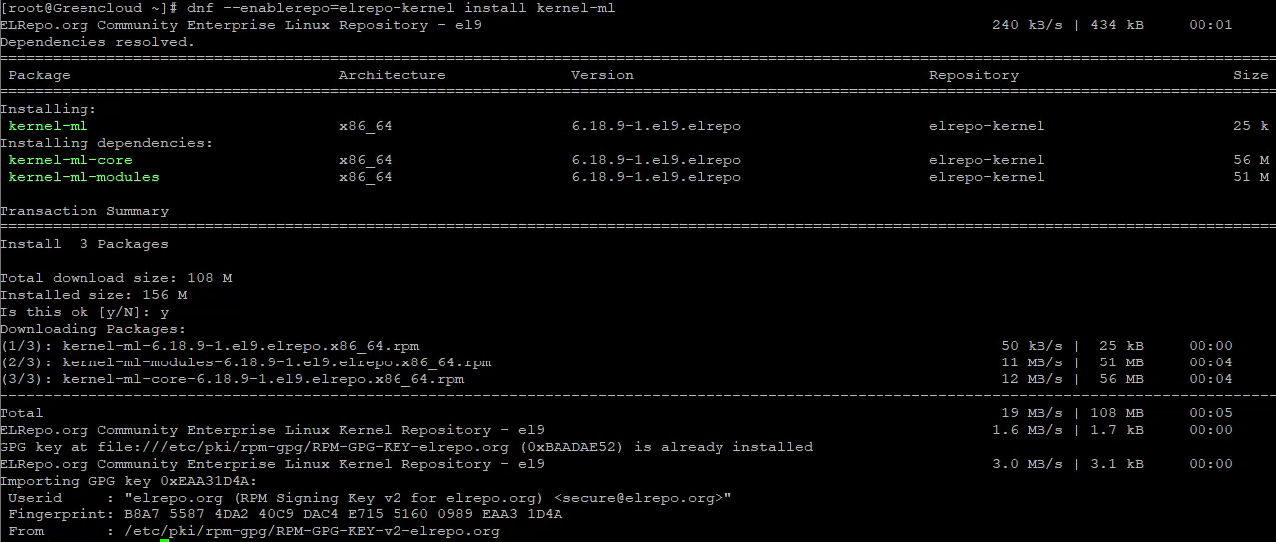
This will install:
-
kernel-ml
-
kernel-ml-core
-
kernel-ml-modules
Confirm the installation when prompted.
Step 4 – Verify and Reboot
Check the default boot kernel using:
Then reboot the system:

After the system restarts, verify the new kernel version:
Example output:

This confirms that your system is now running Kernel 6.x.
Conclusion
In this guide, we demonstrated how to install a modern 6.x kernel on Rocky Linux 9 using the ELRepo repository. Upgrading to a newer kernel can provide better hardware compatibility, improved performance, and access to the latest Linux features.
However, keep in mind that mainline kernels (kernel-ml) are not officially supported by Rocky Linux for production environments. If stability is your top priority, you may prefer to use the long-term kernel (kernel-lt) instead.
If you need help troubleshooting or switching back to the original kernel, feel free to ask!
